DAD app icon Windows 路 Mychron and Unipro

Every session, from any dash, automatically.

DAD finds your dashes over WiFi and pulls every new session for you. No cables, no walking dash to dash, no manual importing. Leave it running on the pit lane laptop and the data is just there.

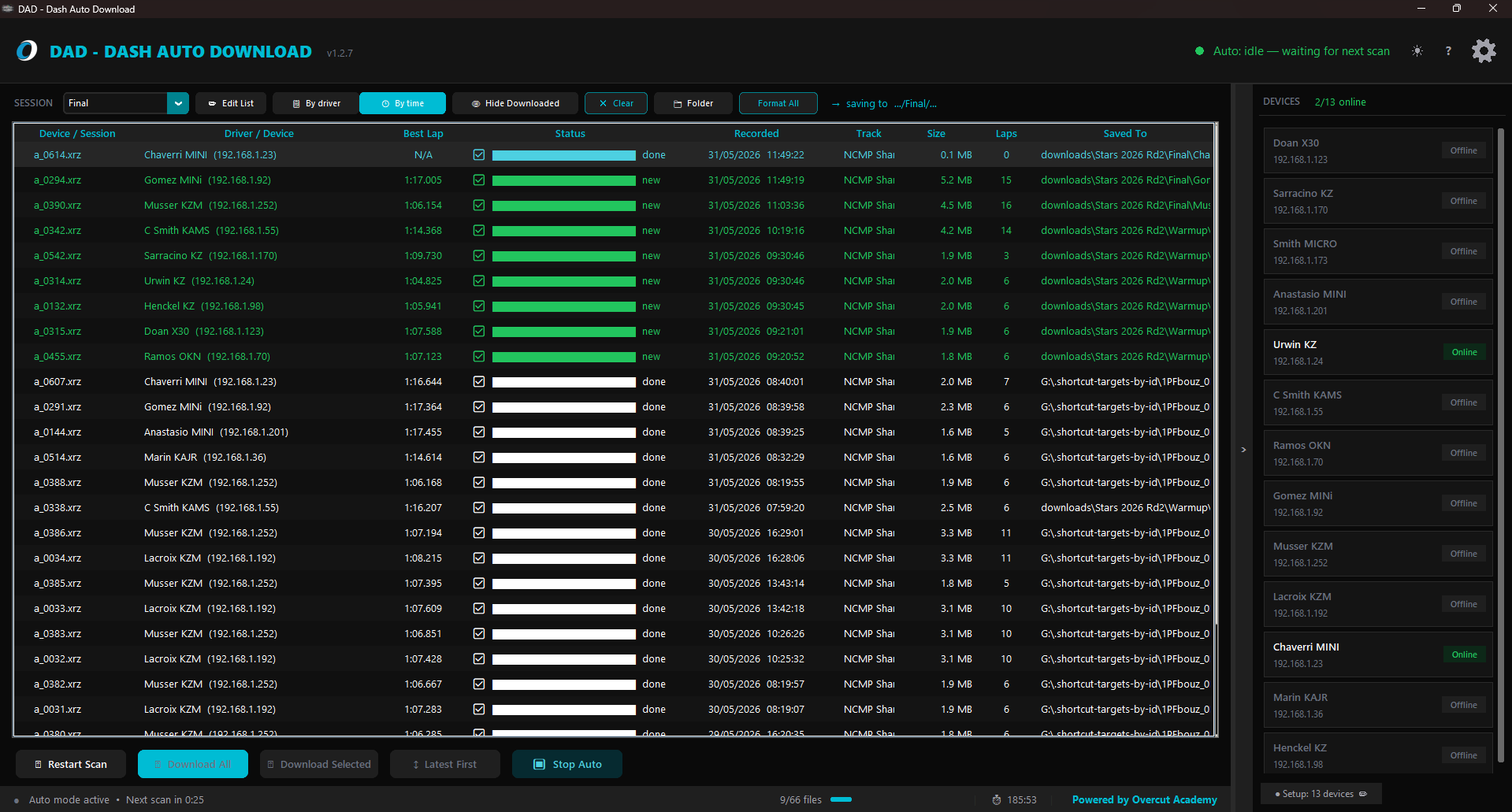
The DAD desktop app downloading sessions from connected dashes, grouped by driver, with the device roster sidebar
Hands-free downloads

Set it once. Walk away.

Auto-mode watches your network and pulls new sessions the moment a dash powers on and joins WiFi. It finds every dash on the grid and downloads from all of them in parallel, so there's no clicking through each device after every run. The data lands while you're still on the grid.

  • Finds every dash on the network and pulls them in parallel
  • Continuous background scanning & download
  • Skips sessions you've already pulled
  • Live progress and console you can glance at from across the awning
DAD auto-downloading sessions with progress bars
Your folders, your rules

Save it exactly how you file it.

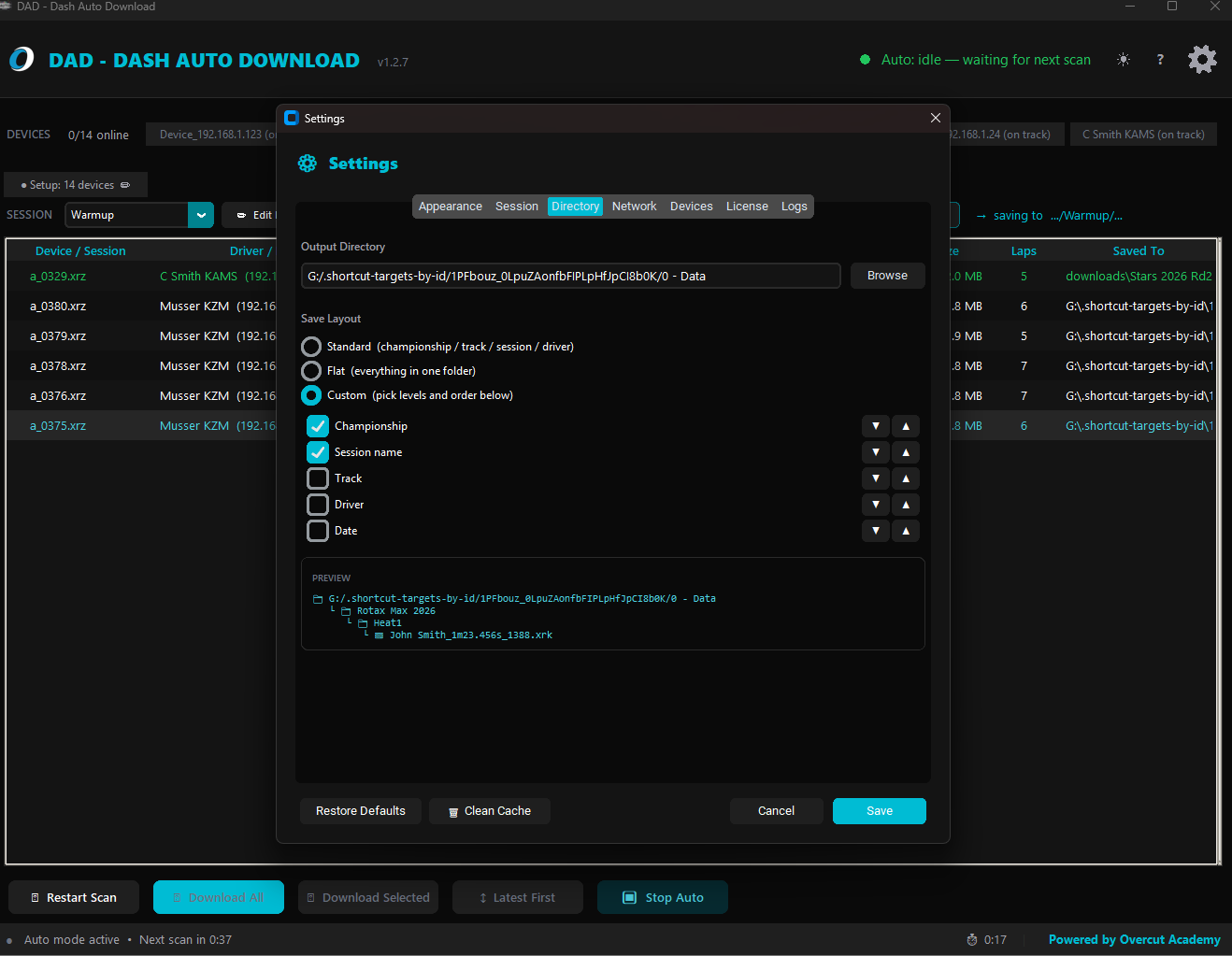
Choose how every download is filed (by championship, track, session, driver or date) and DAD builds that folder tree for you. Pick a ready-made layout or drag the levels into your own order and watch the live preview update before you commit.

  • Standard, flat, or fully custom folder layouts
  • Reorder levels: championship, track, session, driver, date
  • Live path preview before anything saves
DAD Settings panel showing the custom save-layout options and a live folder preview
Race Studio ready

Filed and ready to analyze.

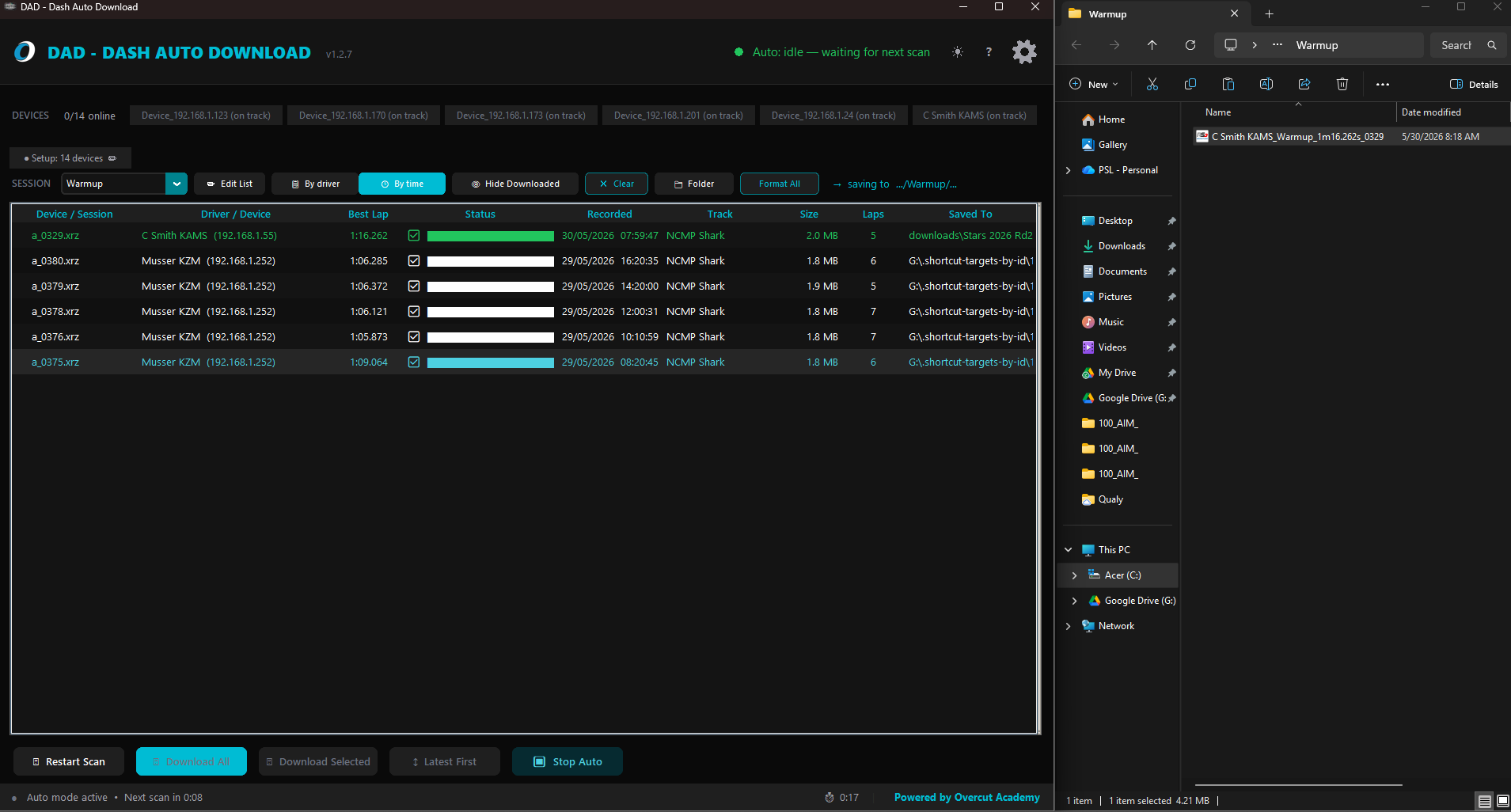
Every file lands organized by championship, track, session and driver, decompressed to .xrk and ready to open straight in Race Studio 3. No renaming, no hunting through a download dump.

  • Tidy folder tree: championship / track / session / driver
  • Auto-decompressed to .xrk for Race Studio 3
  • Consistent, sanitized filenames every time
Organized DAD output folder tree in Windows Explorer

Pick the number of dashes you run.

Simple per-team subscriptions. Cancel anytime, and your downloaded files are always yours.

馃殌 Launch special | 50% off all plans — locked in for life | ends July 31
Solo
1 laptop 路 up to 5 dashes
$
$50/week
7-day free trial · cancel anytime
  • Auto-download all sessions
  • Up to 5 dashes
  • 1 activated laptop
Subscribe
Pro
3 laptops 路 up to 20 dashes
$
$250/week
7-day free trial · cancel anytime
  • Everything in Team
  • Up to 20 dashes
  • 3 activated laptops
Subscribe
Enterprise
5 laptops 路 up to 50 dashes
$
$500/week
7-day free trial · cancel anytime
  • Everything in Pro
  • Up to 50 dashes
  • 5 activated laptops
Subscribe

All plans start with a 7-day free trial — no charge until you decide to keep it, cancel anytime during the trial and you owe nothing. After the trial, subscriptions are billed securely through Stripe and renew automatically until cancelled; cancelling stops future charges and your license stays active through the period you've paid for. Terms · Refund policy · Talk to the team · Recover your key.

Get your weekends back.

Stop walking dash to dash with a USB cable. Let DAD pull the whole grid while you debrief.

Built by Overcut Academy · Windows · Works offline trackside · For Mychron and Unipro